Home / Projects
Projects
Software I’ve built and open-sourced — mostly Python, mostly for Linux. All of it lives on GitHub.
Active · MIT Licensed
Nexon Calculator
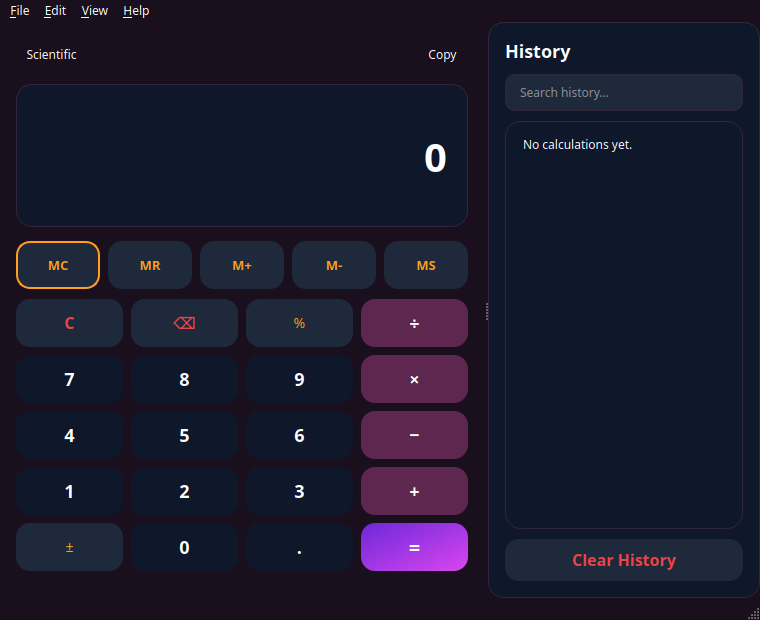
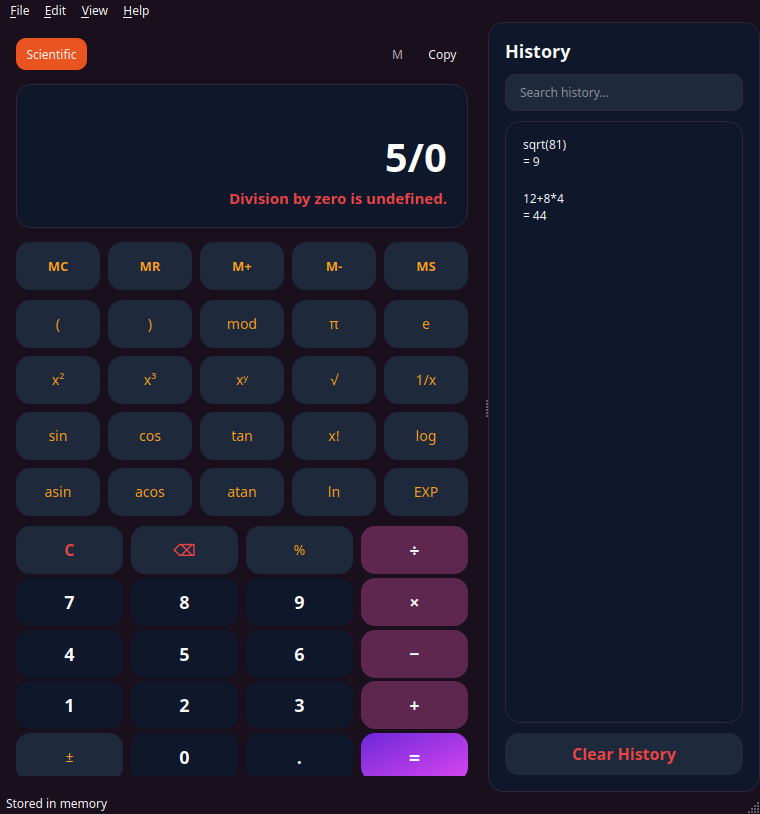
A modern, GNOME-inspired scientific calculator for the Nexon ecosystem, built with Python and PyQt6. Rounded cards, gradient accents, and a native title bar on both Linux and macOS — it’s meant to feel like it belongs on your desktop, not like a web page in a window.
Features
- Standard and scientific modes with live calculation preview
- Full memory register (MC / MR / M+ / M− / MS) and a searchable history sidebar
- Nexon Dark, Nexon Light, and Auto (system) themes
- Configurable result precision, full keyboard shortcuts, always-on-top option
Built with: Python 3.12+, PyQt6 · tested with pytest, ruff, black, mypy
Runs on: Linux (primary target) and macOS, with AppImage/.deb and .app/.dmg builds on GitHub Releases
Active
Nexon Notes
A lightweight, local-first notes app for macOS and Ubuntu. Notes are organized into folders, auto-save as you type, and are stored in a local SQLite database with plain-text exports alongside — so your notes are always readable, even without the app.
Features
- Folder-based organization with real-time auto-save
- Local SQLite storage, plain-text file exports, and full-text search
- Optional encrypted cloud backup — Proton Drive, OneDrive, Google Drive, or Dropbox via rclone
- A small Flask REST API for reading/writing notes programmatically, plus Apple Notes import
Built with: Python 3.10+, PyQt6, SQLite, Flask, rclone
Runs on: macOS 12+ and Ubuntu 22.04+ (and compatible distros)
🔍
gpt explain quicksort in one sentence
Active
ChatGPT Search
A small Ulauncher extension for asking ChatGPT a question without leaving your keyboard. Type the keyword, type your question, hit enter — it opens chatgpt.com with your prompt pre-filled, or, if you’d rather stay in the launcher entirely, answers inline using your own OpenAI API key.
Features
- Configurable trigger keyword (defaults to
gpt) - Opens chatgpt.com with your prompt pre-filled — no API key required
- Optional OpenAI API key for answers directly inside Ulauncher, with one-click copy to clipboard
Built with: Python, the Ulauncher extension framework, the OpenAI API (optional)
Runs on: Linux, wherever Ulauncher runs — Ubuntu included
More where that came from
This page grows as I ship new things. Everything I build is public — the full list, commit history, and whatever’s in progress lives on GitHub.